
Email on Android Devices
Set Up Your E-mail on an Android device:
To access your IWU email on your Android device, you must install the free Microsoft Outlook app from the Play Store. IWU IT recommends using the Outlook app instead of the built in mail app or an alternative app from the Play Store. Other apps such as Gmail or Samsung Email are unsupported. We are unable to assist with installing them and we will not give notice if they are disabled.
To set up your email in the Outlook app:
- Install the Outlook app from the Play Store.
- Tap on "Add account".
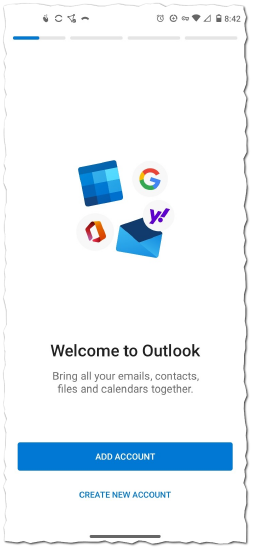
- Enter IWU email address.
- For students: firstname.lastname@myemail.indwes.edu
- For employees: firstname.lastname@indwes.edu
- Enter IWU password.
- When prompted if you would like to add another account, select "Maybe Later".
- You will have access to your IWU email within the Outlook app.
If you already have the Outlook app installed on your phone:
- Open the Outlook app.
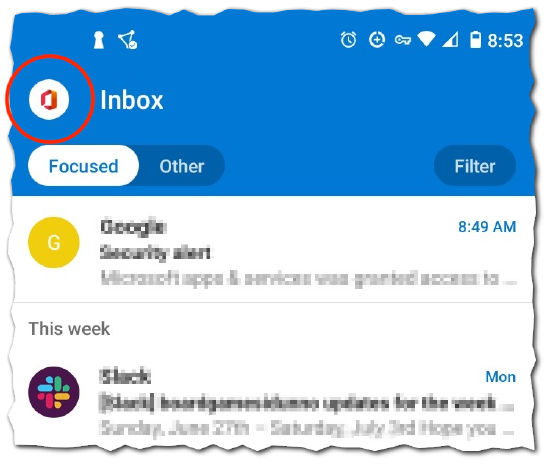
- Tap on the colored circle in the top left hand corner of the screen. (See screenshot below)
- Along the left side, click on the grey circle with the smaller blue circle to add a new account. (See screenshot below)
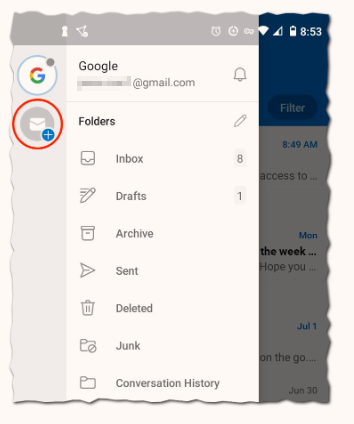
- Tap on "Add an account".
- Continue with bullet point 3 above.
**You can switch between your IWU email account and other email accounts by tapping on the colored circle in the top left.**
If you need further assistance, please contact the Support Center at 765-677-2209 or via email at IT.Support@indwes.edu.