
Digital Signage _ Security Controls
Summary
This article outlines the standard operating procedure (SOP) for temporarily enabling remote support access to Digital Signage devices. These devices have TeamViewer installed for remote troubleshooting; however, TeamViewer, along with other remote control tools used for support, is classified as a security risk and is blocked university-wide by DNSFilter in accordance with our DNS protection controls.
Digital Signage devices are assigned to a designated control group within DNSFilter that allows for temporary whitelisting when remote access is required. This KB provides the approved process for requesting, approving, enabling, and documenting time-bound access to ensure support needs are met while maintaining security controls and minimizing exposure.
Standard Operating Procedure - IMT
To initiate temporary whitelisting of the TeamViewer application for Digital Signage devices, an IT Support request must be submitted to Information Security with a minimum lead time of four (4) hours prior to the planned access window. Requests submitted without sufficient notice may not be accommodated, so access should be scheduled in advance whenever possible. If the request is made after 12PM ET the expectation will be that it will be fulfilled the next business day.
The request must clearly state the business or operational justification for enabling TeamViewer access and include the specific hostname(s) of the affected Digital Signage device(s). General or blanket requests will not be approved; each device must be explicitly identified.
The ticket must also define the exact time window during which access is required, including start and end times. Whitelisting will be configured only for the approved duration and will be automatically removed or reverted at the conclusion of the authorized period in accordance with security controls.
Standard Operating Procedure - ISO
Upon receipt of a properly submitted ticket, the ISO team will review the request to ensure the following criteria are met:
- Specific hostname(s) are clearly identified.
- A defined start and end time for access is provided.
- The request meets the minimum four (4) hour advance notice requirement.
If any required information is missing, the ticket should be returned to the requester for clarification before action is taken.
Once approved, ISO will temporarily modify the DNSFilter policy (Digital Signage) control group to permit TeamViewer-related domain for the approved time window only.
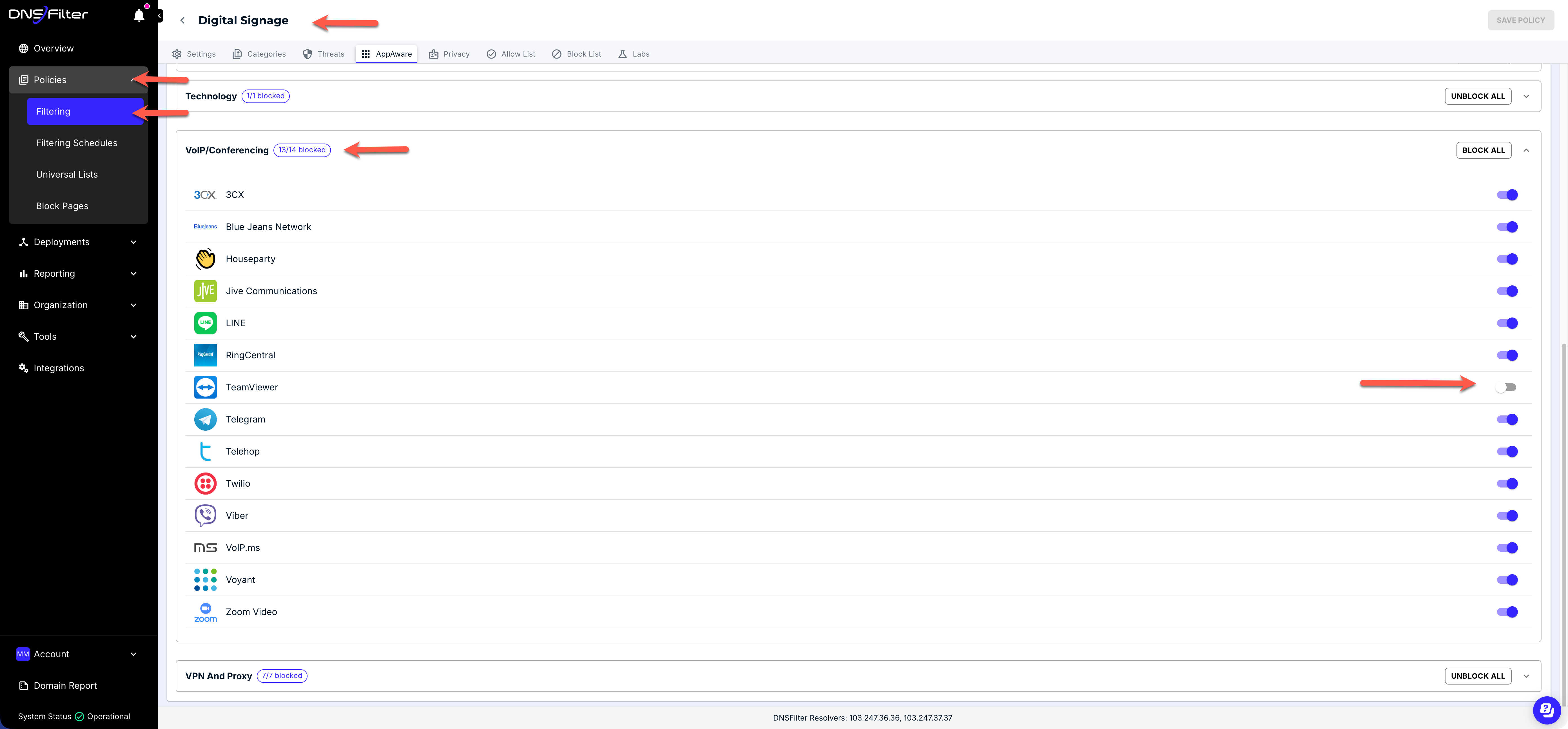
At the conclusion of the approved access window, ISO will verify that the temporary whitelisting has been removed and that DNSFilter protections have been fully restored to their standard enforcement state. Confirmation of reversion must be documented in the ticket prior to closure.
Under no circumstances should permanent or indefinite exceptions be granted without formal risk review and approval from the CISO.
Last Updated: 11/25/25