
Room 116
Display
This classroom has a fully equipped teaching station, sound system, and one display.
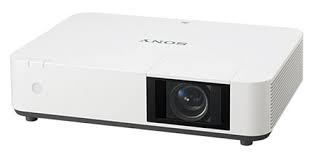
- A ceiling mounted laser Projector
- Projects onto manual screen on the front wall of the room.
- A preview monitor on top of the cart shows the same content that is sent to the projector
- Resolution = 1920 x 1200 (16:10 aspect ratio)

Sources
The teaching station provides multiple ways to share a computer or mobile device to the projection screen and ceiling speakers.

- USB-C cable for connecting a mobile device (Laptop, tablet or smart phone)
- HDMI cable for connecting a laptop computer
- USB; plug in a USB flash drive or a USB document camera to this port. Then press the PC button and browse to the connected peripheral.
- Desktop PC
Audio
This classroom has:
- 4 ceiling mounted speakers
-
Volume knob at the teaching station control panel
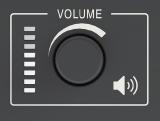
Note: Speakers in 116 are typically connected to the teaching station in 118. If you want to close the dividing wall and have simultaneous groups meeting in both rooms, unplug the XLR cable in the white wall plate in room 118, from the frame labeled "116 speakers."
View


