
Meeting Room 208
Meeting Space Technology in Welcome Center 208
Display
This classroom has a station equipped with one display:
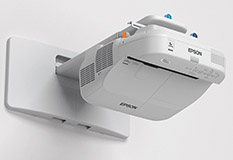
- A Wall-Mounted Short Throw Interactive Projector
- Projects onto whiteboard at the front of the room.
- Resolution: 1280 x 800 (16:10 Aspect Ratio)
Audio
-
Projector's internal speakers
-
Volume is controlled by the wireless remote control
Control
- Locate the wall-mounted touch panel, to the left of the whiteboard.
- Press the Power button to turn on the Projector.
- Press the Power button to turn it off at the end of the meeting.
Source
The AV system allows computers and mobile devices to be projected on the whiteboard, and heard through the projector speakers. Connect your device to the provided HDMI cable, or use an adapter for connecting a mobile device that has a different type of connector.
Equipment location
There is no AV furniture to house equipment in this room. The technology is all wall-mounted.