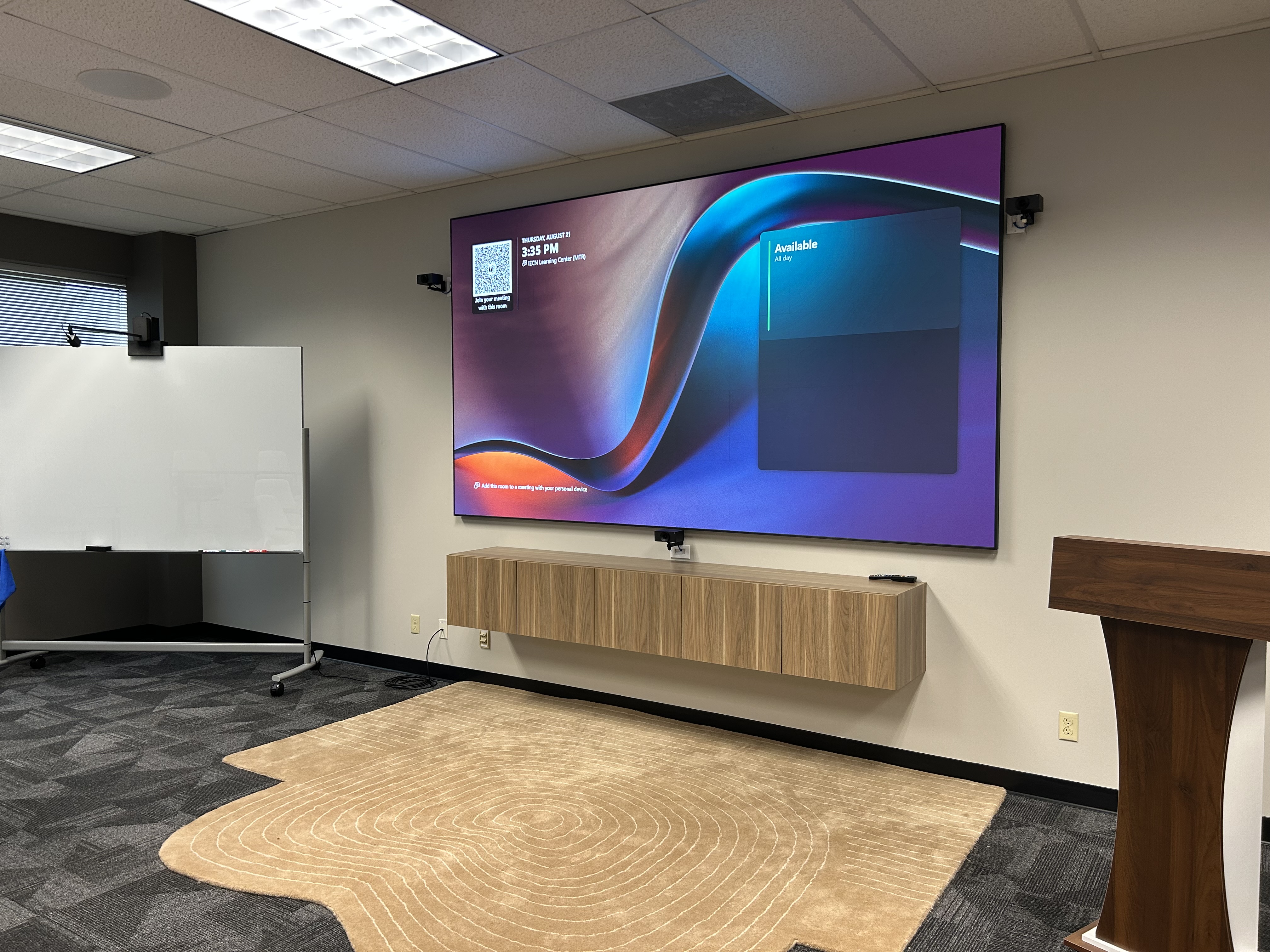
Executive Learning Space 103
This high-tech meeting space has been designed and installed and is supported by Ultimate Technologies Group. For support, see below.
Display
A large wall mounted Direct View LED wall (DVLED) displays the content selected by the contol panel.
Audio
- 8 ceiling speakers designed for conferencing audio
- 4 ceiling microphones with beam-tracking technology and LED status
- Biamp integrated audio system that includes a Digital Signal Processor (DSP), installed in the closet AV Rack
Sources
Select either a laptop connection or a Microsoft Teams Room meeting. Additional display options exist within the MTR meeting.
Laptop
There are two ways to share from a laptop: HDMI cable, or screen-sharing from within a Teams video-conference.
HDMI cable
The HDMI cable is located on or near the credenza. Plug this into a laptop computer's HDMI jack. The cable is 20' long, which should allow connection to a laptop at the podium. If your laptop, tablet or smart phone lacks an HDMI jack, you will need an HDMI adapter. Connecting the HDMI cable to a device will automatically cause the device to the display, although the laptop may first require selection between mirrored mode and extended desktop mode.
Conferencing
There are two ways to join a meeting in this room:
LARGE GROUP: the installed system near the DVLED wall, as described above.
SMALL GROUP; the mobile DTEN system.
DTEN 75" interactive display with a built-in camera, microphones and speakers for conferencing and collaboration. This is mounted on a Heckler cart for flexible use throughout the room. Please note this device is "stand alone" and will not interact with other AV equipment in the space outside of a Teams meeting.
Control
A wall-mounted 10" touch panel.
A Crestron control processor will provide control programming for the room, located in the closet AV Rack.
Camera
Huddly Crew AI-directed multi-camera system. Three cameras will be utilized for a dynamic view of participants in the room.
Support
The cameras, microphones, speakers, displays, control interface and laptop connections are covered by a service agreement with Ultimate Technologies Group (UTG).
For support, please follow these steps:
1. Tier One support is provided by IWU personnel at IEC: Receptionist, Building Director, or Director of Operations. If none of these are available, contact the IWU Support Center or Classroom Technology Services. Tier One will decide whether the issue resides within the AV control system or the Microsoft Teams Room component (and therefore necessary for escalation to Tier Two support) or with the user's laptop.
2. Tier Two support must be escalated from Tier One support. This level of service is provided by UTG, at 317-428-6660, or IWU IT Microsoft Administrator by contacting the support center.